Blog
How to Prevent Motor Overheating in Automatic Embroidery Machines
By Ramana Machines · November 11, 2026
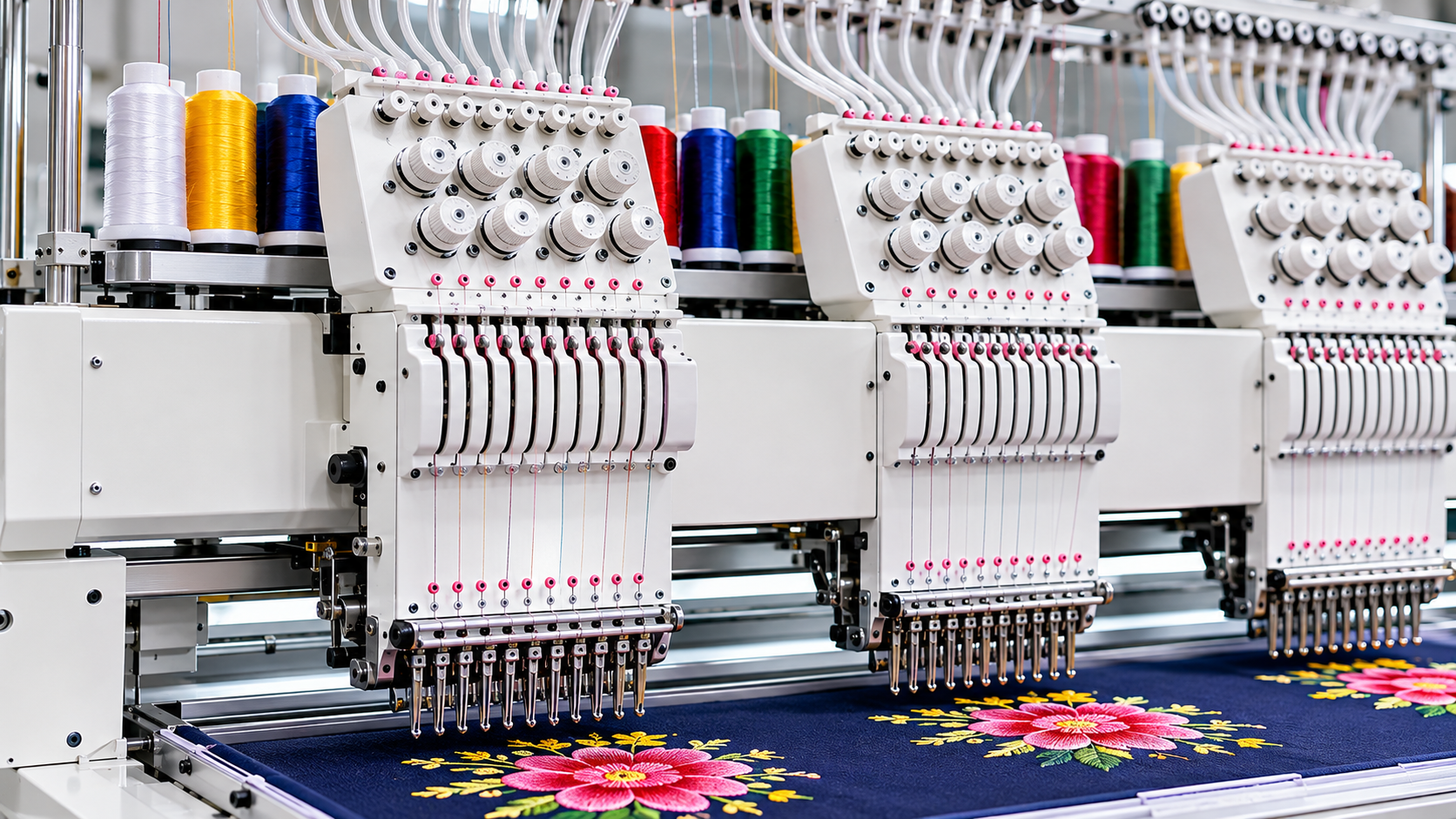
Motor overheating can lead to unexpected stoppages, reduced machine performance, and costly repairs. Learn about the important motor and cooling-system parts in automatic embroidery machines, why overheating occurs, and how to prevent it through proper ventilation, electrical checks, mechanical inspection, and regular maintenance.
The motor is one of the most important components of an automatic embroidery machine. It provides the power required to operate the stitching mechanism and maintain the movement needed for continuous embroidery production. When the motor operates at an unusually high temperature, it can affect machine performance, cause unexpected stoppages, and potentially damage other components.
Motor overheating should not be ignored, even if the machine continues to run. It may indicate excessive mechanical load, poor ventilation, electrical problems, incorrect operating conditions, or insufficient maintenance.
Understanding how the motor and its supporting components work can help operators identify early warning signs and take preventive action. This guide explains the important parts associated with motor operation, common causes of overheating, and practical solutions to help maintain reliable machine performance.
1. Understand the Main Motor and Its Function
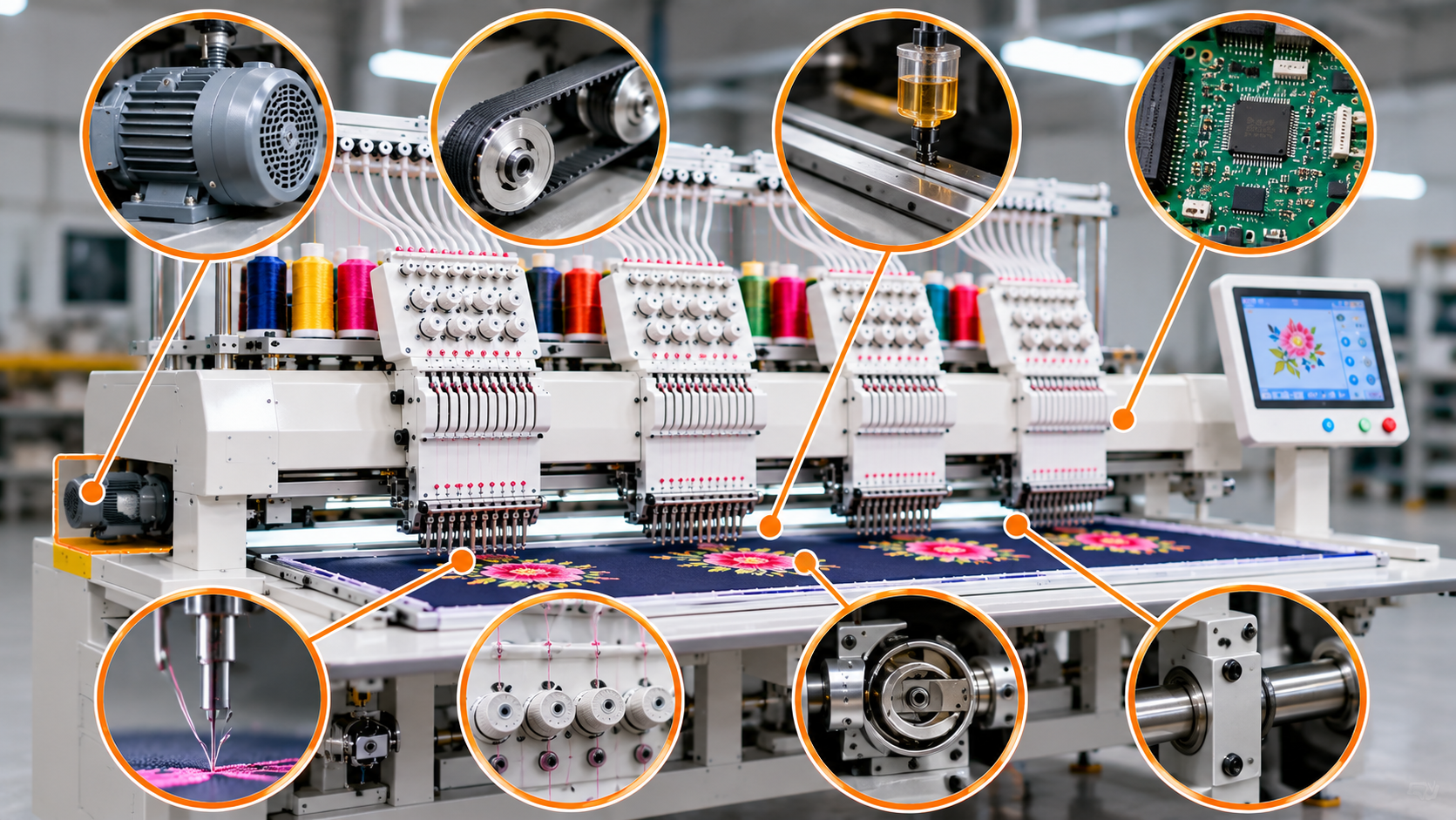
The main motor supplies the driving power required for the embroidery machine to operate. Depending on the machine design, it drives or controls the movement of the stitching mechanism through a connected drive system.
During continuous production, the motor works according to the selected speed, load, and operating conditions. If it is forced to work beyond its suitable operating range, heat can build up inside the motor.
Important parts and their functions:
- Main motor: Converts electrical energy into mechanical movement to operate the machine's drive mechanism.
- Motor shaft: Transfers the motor's rotational movement to the connected drive components.
- Motor housing: Encloses and protects the internal motor components.
- Motor bearings: Support the rotating shaft and help it move smoothly with reduced friction.
- Motor mounting bracket: Holds the motor securely in its intended position and helps maintain proper alignment.
Warning signs of overheating:
- Motor housing feels unusually hot.
- Burning smell near the motor.
- Machine stops during continuous production.
- Motor produces unusual noise or vibration.
- Motor performance becomes inconsistent.
Solutions:
- Check whether the motor temperature is within the manufacturer's recommended operating range.
- Inspect the motor mounting and alignment.
- Listen for unusual bearing noise.
- Avoid operating the machine continuously when overheating symptoms appear.
- Arrange a professional motor inspection if the problem returns.
2. Blocked Cooling Fan and Poor Air Circulation
Many embroidery machine motors use a fan or another cooling arrangement to control operating temperature. During operation, the cooling system helps remove heat generated inside the motor.
If the cooling fan is damaged, blocked, or unable to circulate sufficient air, the motor may become hotter than normal.
Important parts and their functions:
- Cooling fan: Moves air around the motor to help remove accumulated heat.
- Fan cover or guard: Protects the fan from accidental contact and helps prevent larger objects from entering.
- Ventilation openings: Allow air to enter and leave the motor housing.
- Air passages: Provide a path for airflow around the motor's cooling areas.
Possible causes:
- Dust and lint accumulation around the fan.
- Blocked ventilation openings.
- Damaged or loose fan blades.
- Insufficient space around the motor.
- Poor airflow inside the machine enclosure.
Solutions:
- Switch off and isolate the machine before cleaning the cooling area.
- Remove dust and lint from accessible ventilation openings.
- Inspect the fan for visible damage.
- Make sure surrounding objects are not blocking airflow.
- Keep the motor area clean and free from accumulated thread waste.
- Ask a technician to inspect the fan if it does not rotate properly.
Important: Do not operate the motor with a damaged fan or obstructed cooling system. Follow the manufacturer's cleaning and inspection instructions.
3. Excessive Mechanical Load on the Motor
A motor may overheat when it has to work harder than its designed operating conditions. Excessive resistance in the mechanical system can increase the load on the motor and generate additional heat.
This can happen when moving components become stiff, misaligned, or damaged.
Important parts and their functions:
- Drive belt: Transfers rotational power from the motor to the connected mechanical components.
- Pulleys: Guide the belt and transfer movement between the connected shafts.
- Bearings: Support rotating components and reduce friction.
- Main shaft: Transfers rotational movement through the machine's stitching mechanism.
- Drive mechanism: Coordinates the movement required for machine operation.
Possible causes:
- Over-tightened drive belts.
- Worn or damaged bearings.
- Incorrect pulley alignment.
- Mechanical components moving with excessive resistance.
- Loose or damaged drive connections.
Solutions:
- Inspect the drive belt for cracks, wear, or incorrect tension.
- Check for unusual noise from bearings and rotating components.
- Look for visible signs of pulley misalignment.
- Follow the manufacturer's instructions for belt adjustment.
- Arrange a mechanical inspection if the motor continues overheating despite normal cleaning and operating conditions.
Do not increase belt tension to solve slipping without checking the manufacturer's specifications. Excessive tension can place additional load on the motor and bearings.
4. Electrical Supply Problems and Voltage Fluctuations
The motor requires a suitable electrical supply to operate correctly. An unstable or incorrect supply can affect motor performance and may contribute to overheating or electrical protection trips.
Electrical problems should be investigated rather than treated as ordinary mechanical faults.
Important parts and their functions:
- Power supply: Provides the electrical energy required by the embroidery machine.
- Motor driver or drive controller: Regulates the electrical power supplied to the motor according to control commands.
- Electrical wiring: Carries power and control signals between machine components.
- Circuit breaker: Protects the electrical circuit by interrupting the supply under certain fault conditions.
- Overload protection: Helps protect the motor or drive system when electrical or operating conditions exceed specified limits.
Possible causes:
- Voltage fluctuations.
- Loose electrical connections.
- Incorrect electrical supply.
- Damaged cables.
- Faulty motor driver.
- Incorrect overload protection settings.
Solutions:
- Check whether the incoming supply matches the machine's electrical specifications.
- Have a qualified electrician inspect the electrical connections.
- Check for repeated circuit breaker or overload trips.
- Inspect the motor driver for error indications.
- Use suitable electrical protection as recommended by the machine manufacturer.
- Do not bypass overload protection or repeatedly reset a tripping breaker without identifying the fault.
Electrical inspection and repair should only be performed by qualified personnel after proper power isolation.
5. Incorrect Motor Speed and Continuous Heavy Operation
Running an embroidery machine continuously at high speed may increase the motor's operating temperature, especially when the machine is working under heavy mechanical load or in an environment with poor ventilation.
Motor speed should be selected according to the machine's design, production requirements, and operating condition.
Important parts and their functions:
- Speed controller: Allows the machine to regulate operating speed.
- Motor driver: Controls motor operation according to the required speed and movement commands.
- Control panel: Allows the operator to select machine settings and monitor operating information.
- Main motor: Supplies the mechanical power needed for machine operation.
Possible causes:
- Operating continuously at an unsuitable speed.
- Frequent rapid acceleration and deceleration.
- Heavy mechanical resistance.
- Incorrect speed-related parameters.
- Insufficient cooling during long production cycles.
Solutions:
- Use the manufacturer's recommended speed range.
- Avoid increasing speed without considering the design and fabric requirements.
- Monitor the motor temperature during long production runs.
- Follow recommended operating and rest procedures, if specified by the manufacturer.
- Ask a technician to check speed-related parameters if the motor heats up even at normal operating speeds.
Higher speed does not always mean higher production. If it causes stoppages or mechanical stress, the overall output may decrease.
6. Worn Motor Bearings and Internal Friction
Bearings allow the motor shaft to rotate smoothly. When bearings become worn or damaged, friction can increase and affect the motor's operation.
In some cases, bearing problems produce noise before the motor shows obvious overheating symptoms.
Important parts and their functions:
- Motor bearings: Support the motor shaft and allow smooth rotation.
- Motor shaft: Rotates to transfer power to the drive system.
- Bearing housing: Holds the bearings in their correct position.
- Rotor: The rotating part of the motor that works with the magnetic field to produce mechanical movement.
- Stator: The stationary part of the motor that generates the magnetic field required for rotation.
Possible causes:
- Natural bearing wear.
- Insufficient or incorrect lubrication, where applicable.
- Dust or contamination entering the bearing area.
- Incorrect shaft alignment.
- Excessive mechanical load.
Solutions:
- Listen for grinding, humming, or unusual bearing noise.
- Observe whether the motor vibrates more than usual.
- Check for signs of excessive shaft movement where inspection is permitted.
- Have worn bearings inspected and replaced by a qualified technician.
- Follow the motor manufacturer's lubrication and maintenance requirements.
Avoid applying lubricant to sealed bearings unless the manufacturer specifically recommends it.
7. Dust, Lint, and Thread Waste Around the Motor
Embroidery production generates lint, loose fibres, and thread waste. Over time, these materials can accumulate around the machine and restrict airflow or enter areas where they interfere with moving components.
Although dust may seem like a minor issue, poor cleaning practices can contribute to overheating and other operating problems.
Important areas to inspect:
- Motor cooling openings: Allow air to circulate around the motor.
- Fan cover: Protects the cooling fan from external material.
- Electrical enclosure: Contains electronic components and should be kept clean according to the manufacturer's instructions.
- Machine ventilation area: Helps maintain airflow around the machine's drive and electrical systems.
Possible causes:
- Irregular machine cleaning.
- Lint accumulation near ventilation openings.
- Dust entering the cooling fan area.
- Poor housekeeping around the machine.
- Inadequate cleaning of the machine enclosure.
Solutions:
- Clean accessible motor ventilation areas regularly.
- Remove lint from the machine surroundings.
- Keep electrical enclosures closed and properly maintained.
- Use only manufacturer-approved cleaning methods.
- Avoid directing compressed air into sensitive electrical or bearing assemblies unless the service instructions permit it.
8. High Workshop Temperature and Poor Machine Placement
The temperature of the surrounding environment can affect how efficiently a motor releases heat. If an embroidery machine is installed in a hot, poorly ventilated area, the motor may have difficulty maintaining its normal operating temperature.
Important parts and areas involved:
- Motor cooling system: Removes heat generated during motor operation.
- Ventilation openings: Support air movement around the motor.
- Machine enclosure: Protects internal components but should not restrict required airflow.
- Workshop ventilation: Helps maintain suitable environmental conditions around the machine.
Possible causes:
- High workshop temperature.
- Machine installed too close to walls or other equipment.
- Blocked ventilation areas.
- Poor air circulation.
- Heat from nearby machinery.
Solutions:
- Install the machine in a properly ventilated area.
- Maintain the clearance recommended by the manufacturer.
- Avoid placing heat-generating equipment too close to the motor.
- Keep ventilation openings unobstructed.
Consider suitable workshop ventilation or cooling arrangements where necessary.
9. Incorrect Motor Installation or Alignment
If a motor is not installed correctly, it may experience additional mechanical stress during operation. Incorrect alignment between the motor shaft and connected drive components can increase vibration, friction, and operating load.
Important parts and their functions:
- Motor mounting bracket: Holds the motor in its intended position.
- Mounting bolts: Secure the motor to the machine frame.
- Drive pulley: Transfers rotational power from the motor.
- Coupling: Connects two shafts where used in the drive arrangement.
- Drive belt: Transfers movement between pulleys where a belt-driven system is used.
Possible causes:
- Loose motor mounting bolts.
- Incorrect pulley alignment.
- Improper belt installation.
- Incorrect coupling alignment.
- Motor replaced without following installation specifications.
Solutions:
- Check for visible movement around the motor mounting area.
- Inspect accessible mounting bolts for looseness.
- Ask a technician to verify shaft and pulley alignment.
- Follow the specified belt tension and installation procedure.
- Recheck motor operation after servicing.
10. How to Identify the Cause of Motor Overheating
When a motor becomes hot, avoid immediately changing its settings or replacing components. First, identify the symptoms and check the surrounding operating conditions.
Observed problem | Possible area involved | Recommended action |
| Motor becomes hot with unusual noise | Bearings or drive system | Arrange mechanical inspection |
| Motor overheats and fan is not working | Cooling fan | Inspect fan and cooling arrangement |
| Motor overheats during heavy operation | Mechanical load or speed settings | Check drive resistance and operating speed |
| Motor stops and overload protection activates | Electrical supply, motor load, or drive | Record the fault and arrange diagnosis |
| Motor heats up in a dusty environment | Ventilation and cooling openings | Clean accessible areas and improve airflow |
| Motor vibrates excessively | Mounting, alignment, or bearings | Inspect mounting and drive alignment |
| Motor overheats despite normal operating conditions | Motor, driver, or electrical system | Request professional inspection |
11. Daily and Weekly Maintenance Checklist
A preventive maintenance routine can help operators identify problems before they develop into serious faults.
Daily checks:
- Check for unusual motor noise or vibration.
- Inspect accessible ventilation openings.
- Remove lint and dust from the surrounding area.
- Observe whether the motor becomes unusually hot.
- Check the machine for warning indicators or error messages.
- Confirm that the machine operates smoothly.
Weekly checks:
- Inspect the cooling fan and its accessible surroundings.
- Check drive belts for visible wear.
- Look for loose mounting components.
- Inspect accessible cables for visible damage.
- Review any recurring motor or overload warnings.
- Record maintenance observations.
Periodic checks by a qualified technician:
- Inspect motor bearings and internal condition.
- Check electrical connections and motor driver operation.
- Verify motor mounting and drive alignment.
- Test overload and other protection systems.
- Assess motor performance according to manufacturer specifications.
12. Safety Precautions When Dealing With an Overheated Motor
Motor overheating can indicate a serious mechanical or electrical problem. Operators should not continue production simply because the machine has not stopped automatically.
Follow these precautions:
- Stop the machine if you notice a burning smell, smoke, abnormal noise, or repeated overheating.
- Switch off and isolate the electrical supply before cleaning accessible areas.
- Allow hot components to cool before inspection.
- Never touch exposed electrical connections or motor terminals.
- Do not open the motor or electrical panel without proper training.
- Never bypass thermal protection, overload devices, or safety switches.
- Contact a qualified technician if the motor repeatedly overheats.
If smoke or fire is present, follow the workplace emergency procedure and keep personnel away from the affected equipment.
Getting the Right Machinery and Technical Guidance
Motor performance depends on several factors, including electrical supply, cooling, mechanical load, installation, and regular maintenance. Understanding these areas can help embroidery operators recognize early warning signs and reduce avoidable machine stoppages.
When selecting an automatic embroidery machine or an industrial embroidery machine, consider its motor specifications, cooling arrangement, operating requirements, maintenance access, and availability of technical support.
Ramana Machines is a supplier, distributor, and trader of knitting and textile machinery. We help businesses explore machinery options according to their production requirements and operational needs. Visit www.ramanainternational.com to learn more about our machinery range or contact our team to discuss your requirements.